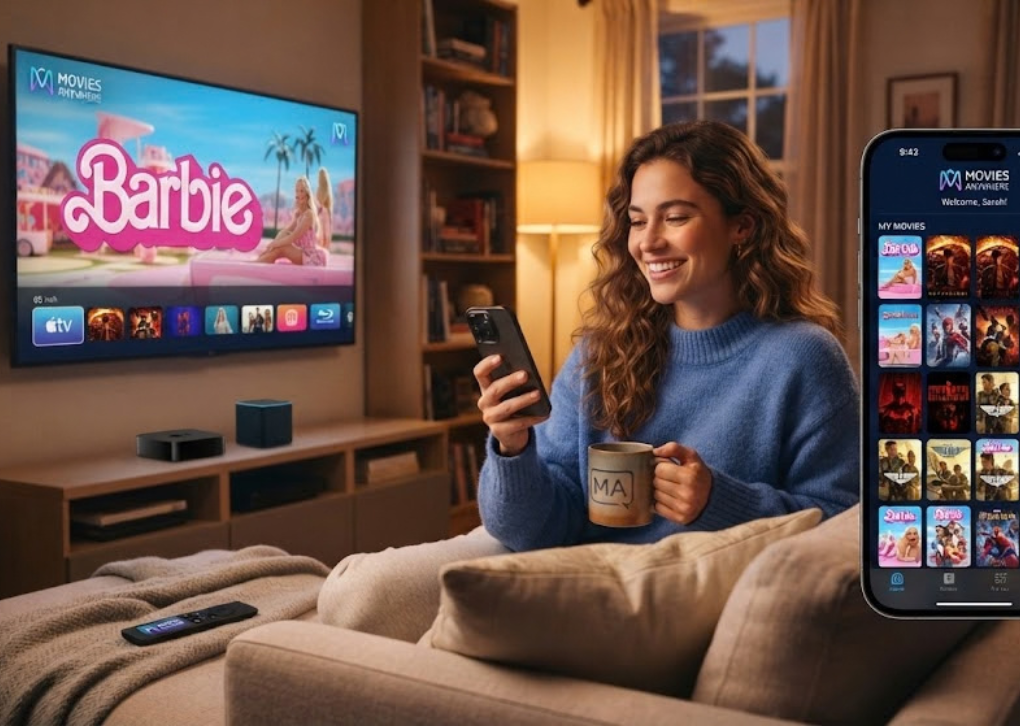
If you are staring at an activation code on your television, Moviesanywhere.com/activate is the official route for connecting that TV or streaming device to your Movies Anywhere account. The process is straightforward: open Movies Anywhere on the TV, request a device code, sign in on a phone or computer, enter the code, and confirm the connection.
There is one detail worth knowing before you begin. The official Moviesanywhere.com/activate address currently redirects to Movies Anywhere’s Connect Device page, so seeing a different page name after entering the address is normal and does not mean you landed on the wrong service.
Movies Anywhere is not a conventional subscription streaming service. It is a digital movie collection service that can bring eligible movie purchases from connected retailers into one synced library, allowing supported titles to become accessible through Movies Anywhere and participating retailer accounts. Movies Anywhere itself does not charge a subscription fee.
What Is Moviesanywhere.com/activate?
Moviesanywhere.com/activate is the device-linking page used when the Movies Anywhere app on a television or streaming device displays an activation code. Instead of entering your full account credentials with a television remote, you complete the connection through a browser on your phone, tablet, or computer.
The code acts as a temporary bridge between the TV app and your signed-in Movies Anywhere account. Once the connection is confirmed, the television should load the Movies Anywhere profile and eligible My Movies collection associated with that account.
This process is different from redeeming a digital movie code. A TV activation code connects a device, while a digital code packaged with an eligible DVD, Blu-ray, 4K disc, email, or promotion is entered through Movies Anywhere’s Redeem feature.
Before You Activate Movies Anywhere
A few checks can prevent most activation problems. Under Movies Anywhere’s Terms of Use updated July 21, 2026, account registration is limited to eligible legal residents of the United States, U.S. territories, the Federated States of Micronesia, and Palau, and users must be 18 or older.
You should also make sure you already have a Movies Anywhere account or are eligible to create one. Movies Anywhere currently supports standard email sign-in as well as Google and Apple sign-in options.
Before activating, confirm the following:
- The official Movies Anywhere app is installed on your television or streaming platform.
- The TV and the phone or computer you will use are connected to the internet.
- You know which Movies Anywhere account contains your movie collection.
- You can access the email, Google account, or Apple account used to create that profile.
- The activation code remains visible on the television while you complete the browser steps.
- You are not accidentally signing into a second Movies Anywhere account.
If you previously used Facebook to access Movies Anywhere, reset the password associated with that account before trying to activate your TV. Movies Anywhere discontinued Facebook login in April 2026 and instructs affected users to sign in through the email address associated with their former Facebook login.
How to Activate Movies Anywhere With Moviesanywhere.com/activate
The easiest approach is to generate the activation code on your television first, then complete the browser portion immediately. Keeping both devices in front of you reduces the chance of entering the wrong code or signing into the wrong account.
Step 1: Open the Movies Anywhere App
Launch the Movies Anywhere app on the television or compatible streaming device. Select Sign In instead of creating another account, particularly if you already have movie purchases connected to an existing Movies Anywhere profile.
If the app presents more than one sign-in method, select the code-based option. Depending on the current version of the app, this may appear as Get Code or a similar device-sign-in instruction.
Step 2: Keep the Activation Code on Screen
The TV should display a temporary activation code. Leave that screen open while you switch to your phone, tablet, or computer.
Do not confuse this television code with a digital movie redemption code. The television code is for connecting the device; it does not add a new movie to your library.
Step 3: Open Moviesanywhere.com/activate in a Browser
On your separate device, open a web browser and go to Moviesanywhere.com/activate. The address currently forwards to the official Movies Anywhere Connect Device location, which is expected behavior.
Sign in to your Movies Anywhere account when prompted. Double-check the email or account identity before continuing, because the television will be linked to whichever Movies Anywhere profile is active in the browser.
Step 4: Enter the TV Code
Enter the activation code exactly as it appears on your TV. Then choose the activation or confirmation control presented on the official page.
If the code is accepted, the television app should update automatically. You should not normally need to reinstall the application or manually transfer your library.
Step 5: Confirm Your Library
Return to the TV and open My Movies. Verify that the correct profile is active and that your eligible titles appear.
If the television signs in correctly but certain purchases are missing, the activation itself may already be complete. Missing titles are more commonly caused by retailer-account linking, movie eligibility, synchronization, or an account mismatch than by the Moviesanywhere.com/activate process.
Moviesanywhere.com/activate vs. Redeeming a Digital Movie Code
This distinction causes a surprising number of setup errors. Moviesanywhere.com/activate connects a television or streaming device to your Movies Anywhere account; it is not intended for entering the digital-copy code included with a movie purchase.
Digital movie codes should be entered through the official Redeem section. Movies Anywhere states that valid, authorized, unused codes for eligible movies can add the corresponding entitlement to your My Movies collection, subject to the code issuer’s conditions.
A simple way to remember the difference is this:
Device activation: “Which Movies Anywhere account should this television use?”
Digital redemption: “Which eligible movie should be added to this Movies Anywhere account?”
Using the wrong page will not necessarily damage anything, but it can leave users wondering why a disc code is rejected on an activation screen or why a television code does not add a movie.
Connecting Digital Retailers After Activation
Activating a TV does not automatically connect every service where you have purchased digital movies. Movies Anywhere works most effectively when your participating retailer accounts are connected to the same Movies Anywhere profile.
Under the current Movies Anywhere Terms of Use, participating digital retailers include Apple iTunes, Amazon Prime Video, Fandango, Google Play/YouTube, Xfinity, Verizon Fios TV, and DIRECTV. Eligible movie entitlements can be shared between Movies Anywhere and connected retailer accounts.
Not every movie available through those retailers is Movies Anywhere eligible. The current participating studios include The Walt Disney Studios, Sony Pictures Entertainment, Universal Pictures, Warner Bros. Entertainment, and Lionsgate, and availability can still vary by individual title.
That matters when troubleshooting Moviesanywhere.com/activate. If device activation succeeds but a particular purchase does not appear, check whether the movie is eligible and whether the retailer account containing that purchase is connected to the Movies Anywhere profile you just activated.
Why a Movie May Be Missing After Activation
A successful device connection only proves that your television has been linked to the selected Movies Anywhere account. It does not guarantee that every digital movie you have purchased from every retailer will appear.
Common causes include an unconnected retailer account, a title that does not participate in Movies Anywhere, a purchase made through a different retailer profile, or signing into the wrong Movies Anywhere account.
Another important issue is account switching. Movies Anywhere states that a particular retailer account cannot be switched to another account with the same retailer more than once within a 180-day period. Repeatedly disconnecting and reconnecting retailer accounts can therefore create unnecessary complications.
Also remember that Movies Anywhere shares eligible entitlements rather than every piece of content inside a retailer library. If a movie is not eligible for Movies Anywhere, successfully activating the device will not make that title appear.
Moviesanywhere.com/activate Not Working? Try These Fixes
Most activation failures are easier to solve when you determine whether the problem is occurring on the TV, in the browser, during login, or after the account has already connected. Start with the simplest correction before reinstalling applications or changing retailer connections.
The Activation Code Is Rejected
Return to the Movies Anywhere app on your TV and request a new device code. Then reopen Moviesanywhere.com/activate, make sure you are signed into the intended account, and carefully enter the newest code displayed by the television.
Do not rely on a code from an earlier sign-in attempt. If the television app has refreshed or generated a replacement code, use the latest one currently shown on screen.
The Activation Page Redirects Somewhere Else
If Moviesanywhere.com/activate redirects to the official Movies Anywhere Connect Device page, that is currently normal. The official activation address itself resolves to that device-connection location.
You should be more cautious if a search result sends you to an unrelated domain that demands payment, credit-card details, unusual software downloads, or remote access to your computer. Movies Anywhere states that its service does not charge a subscription fee simply for creating and using an account.
You Cannot Sign In
First verify your email address and password. If you previously signed in through Facebook, use the email associated with that old account and follow the password-reset process because Facebook login is no longer supported.
If you originally registered with Apple or Google, use the corresponding sign-in option. Avoid creating a second account merely to bypass a login problem, because doing so can separate your movie collection and connected retailers across different profiles.
Activation Works but Your Movies Are Missing
If the account appears on the TV but your library looks incomplete, check retailer connections first. Confirm that the account used by Amazon, Apple, Fandango, Google Play/YouTube, or another participating retailer is the same retailer account you intended to connect.
Then check the movie itself. Movies Anywhere explicitly notes that not every movie held by a connected retailer is eligible for entitlement sharing.
Activation Works but Playback Does Not
Device activation and video playback are separate processes. Movies Anywhere states that streaming quality can depend on your internet connection, device performance, and installed software.
Restart the Movies Anywhere app, verify that the device has a working internet connection, and test another eligible title. If Movies Anywhere works on another device but not the television, the problem is more likely related to that television, application version, or network configuration than to a Moviesanywhere.com/activate error.
Security Tips When Activating Movies Anywhere
Use the official Movies Anywhere domain for device activation, account access, and movie redemption. Activation-related searches can attract unofficial pages because users naturally search for phrases such as “Movies Anywhere activation code” when a code appears on their television.
Movies Anywhere does not require a subscription payment simply to activate a device or maintain an account. You should therefore be suspicious of any third-party page claiming that payment is necessary to “unlock” your activation code.
It is also safer to type Moviesanywhere.com/activate directly into your browser rather than clicking an unfamiliar sponsored or third-party activation result. If the address redirects to the official Movies Anywhere Connect Device page, that behavior is currently legitimate.
Never provide your Movies Anywhere password to an unofficial troubleshooting service. The device-code method exists partly so that account authorization can be completed through the official browser experience rather than by entering credentials into an unfamiliar screen.
What Happens After You Activate?
Once your television or streaming device is connected, you can browse eligible movies in your collection and stream available content through the Movies Anywhere service.
The current Movies Anywhere Terms of Use permit up to four concurrent streams per account, with a maximum of two simultaneous streams of the same eligible movie.
Movies Anywhere also supports offline downloads on permitted compatible devices. Current terms allow eligible movies to be downloaded to a maximum of eight compatible devices at one time, with up to 16 different compatible devices during a rolling 12-month period.
Downloaded movies must also periodically reconnect to Movies Anywhere. The service states that a compatible device must connect to the internet and log into the Movies Anywhere account at least once every 90 days for downloaded movies to remain available through the service.
These restrictions are separate from simply entering a TV code through Moviesanywhere.com/activate. They become important when you use several devices or download content for offline viewing.
FAQ About Moviesanywhere.com/activate
1. What is Moviesanywhere.com/activate used for?
Moviesanywhere.com/activate is used to connect a television or compatible streaming device to an existing Movies Anywhere account. Your TV displays a device code, and you enter that code in a browser while signed into the Movies Anywhere account you want the television to use.
It does not purchase movies or redeem digital-copy codes included with Blu-ray, DVD, or 4K packages. Those codes belong in Movies Anywhere’s separate Redeem section.
2. Why does Moviesanywhere.com/activate redirect to a Connect Device page?
The official activation address currently redirects to Movies Anywhere’s Connect Device page. The changed page name is therefore not, by itself, evidence of an error.
The key security check is the domain. Confirm that you remain on the official Movies Anywhere website rather than a similar-looking third-party activation page.
3. Do I need to pay to activate Movies Anywhere?
No subscription fee is required simply to sign up for or use Movies Anywhere. Movies Anywhere describes its service as free, while the movies themselves are purchased through participating digital retailers.
You may still incur movie-purchase charges from a retailer and normal internet or network costs. Those expenses are separate from device activation.
4. Why are some purchased movies missing after activation?
A missing movie does not necessarily mean activation failed. Check whether the purchase came from a connected participating retailer, whether the title is Movies Anywhere eligible, and whether that retailer account is connected to the same Movies Anywhere profile being used on your TV.
Also make sure you have not accidentally created or signed into another Movies Anywhere account. Movies Anywhere specifically states that not all titles in a connected retailer library are eligible for sharing.
5. Can I use Moviesanywhere.com/activate for Roku, Fire TV, or a smart TV?
If the official Movies Anywhere app on your supported television or streaming platform provides a device-code or Get Code sign-in option, the browser activation workflow is intended to connect that device. Platform support can change, so check that the official Movies Anywhere application is currently available for your specific device and software version.
Once the code appears, leave it on the television, sign in through Moviesanywhere.com/activate, enter the displayed code, and confirm the connection.
Conclusion: Activate the Device, Then Check Your Retailer Connections
The cleanest setup process is simple: open Movies Anywhere on your television, choose the code-based sign-in option, keep the code visible, open Moviesanywhere.com/activate on a phone or computer, sign in to the correct account, enter the code, and confirm the connection. If that address redirects to the official Connect Device page, the redirect is currently expected.
After your television connects, open My Movies and confirm that your library appears correctly. If a title is missing, check the movie’s eligibility and your connected retailer accounts before assuming activation failed.
Most importantly, treat device activation, retailer linking, and digital-code redemption as three separate processes. Once that distinction is clear, setting up Movies Anywhere becomes considerably easier—and troubleshooting missing movies becomes much faster.