


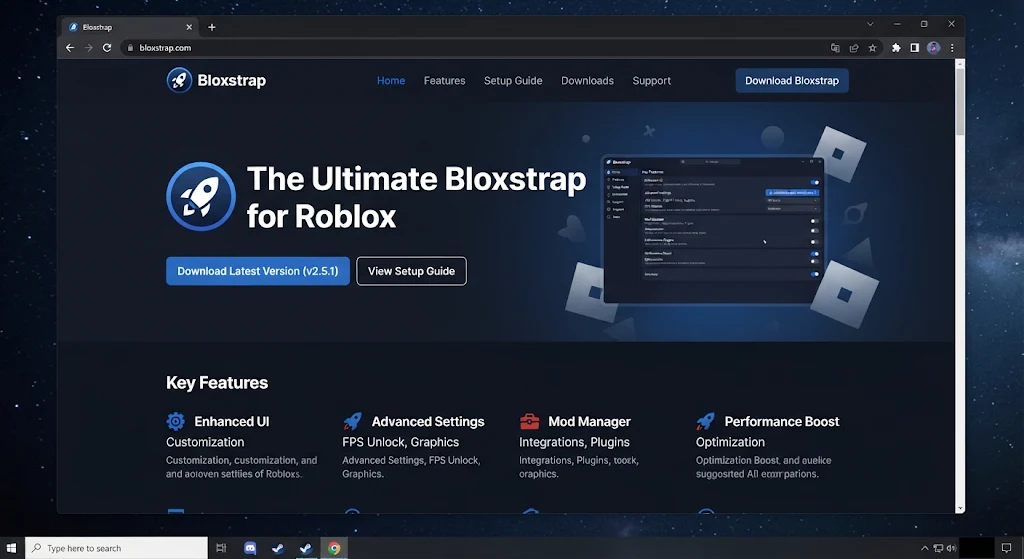
Roblox players often look for ways to customize their gaming experience, improve launcher convenience, manage modifications, and access additional settings that are not available through the standard Roblox launcher. Thebloxstrap com is a website associated with information about Bloxstrap, a third-party Roblox bootstrapper that offers additional customization and launcher-management capabilities.
However, understanding the difference between the Bloxstrap software, its original development project, and independent websites discussing or distributing it is essential. A familiar name or similar website design does not automatically establish an official connection.
This guide examines Thebloxstrap com, explains what Bloxstrap actually does, explores its features and limitations, and provides practical advice for identifying legitimate downloads. Whether you are a casual Roblox player, a developer, or someone interested in customizing the desktop gaming experience, the following information will help you make a more informed decision.
What Is Thebloxstrap com?
Thebloxstrap com is a website that publishes information and resources related to Bloxstrap, an alternative launcher for Roblox. Its content includes information about the software, installation, customization, and other aspects of the Roblox gaming experience.
Bloxstrap itself is a third-party application designed to replace the standard Roblox bootstrapper on supported Windows computers. A bootstrapper is the software responsible for preparing and launching the Roblox client.
Instead of introducing an entirely separate gaming platform, Bloxstrap provides an alternative way to manage the existing Roblox launching process.
The distinction matters because players sometimes confuse Bloxstrap with:
-
A modified Roblox game client.
-
A Roblox account management application.
-
An exploit or cheating tool.
-
A separate platform for downloading Roblox games.
-
An application that provides free Robux.
These descriptions do not accurately explain the original Bloxstrap project.
Understanding the Relationship Between Thebloxstrap com and Bloxstrap
One of the most important things to understand about Thebloxstrap com is that a website discussing Bloxstrap should not automatically be considered the official software developer.
The original Bloxstrap project identifies its official distribution sources as its GitHub repository and Bloxstrap Labs website. Its repository specifically cautions users against downloading software from unrelated websites claiming to represent the project.
GitHub+1
Thebloxstrap com also publishes a disclaimer explaining that Bloxstrap is a third-party utility and is not an official Roblox product.
Bloxstrap
For readers, this creates an important distinction:
-
The website: An independent information resource associated with Bloxstrap.
-
The software: A third-party Roblox launcher replacement.
-
Roblox: The original gaming platform and owner of its official client.
Understanding these separate roles helps prevent confusion when researching downloads, updates, and technical support.
How Does Thebloxstrap com Relate to the Roblox Launcher?
To understand the purpose of Thebloxstrap com, it helps to understand how the standard Roblox launcher works.
When a player opens Roblox on a Windows computer, the bootstrapper handles the initial launching process. It prepares the necessary files and starts the Roblox application.
Bloxstrap replaces this standard launching component with an alternative interface that provides additional configuration options.
The actual Roblox experience remains dependent on Roblox’s own client, servers, account systems, and platform rules.
What Happens When You Launch Roblox Through Bloxstrap?
The general process involves several stages:
-
Launcher initialization: Bloxstrap starts and checks the existing Roblox installation.
-
Configuration loading: It reads the user’s saved launcher preferences.
-
File preparation: Supported local modifications and configuration options are applied.
-
Roblox startup: The launcher starts the Roblox client.
-
Gameplay: The player joins an experience through the normal Roblox platform.
This arrangement explains why Bloxstrap is considered a launcher replacement rather than a completely different version of Roblox.
It also explains why compatibility matters. Changes to Roblox’s client, installation process, or internal configuration can affect how third-party launchers operate.
Thebloxstrap com Features: What Can Bloxstrap Actually Do?
The main attraction of Bloxstrap is the additional control it provides over the Roblox desktop experience. Its functionality focuses on customization, launcher preferences, integrations, and convenient access to certain settings.
Here are some of the notable capabilities associated with the original Bloxstrap project.
1. Custom Roblox Mods
Customization is one of the reasons players explore Bloxstrap.
The application supports certain local asset modifications, allowing users to personalize parts of the Roblox experience without manually repeating changes whenever Roblox updates its files.
Depending on compatibility and the modification being used, customization options can include:
-
Custom mouse cursors.
-
Alternative fonts.
-
Loading-screen modifications.
-
Custom audio assets.
-
Other supported visual changes.
These modifications primarily affect the local gaming environment. They do not automatically change the underlying Roblox game or provide advantages within multiplayer experiences.
Practical tip: Always check whether a modification is compatible with your installed Roblox version. Downloading random files from unknown mod-sharing websites can introduce security risks.
2. Discord Rich Presence Integration
Discord Rich Presence helps players share information about their gaming activity with friends.
When supported and configured, Bloxstrap can display Roblox activity on a Discord profile. Depending on the integration, this can include information about the current experience and session.
This is particularly useful for:
-
Gaming communities.
-
Friends who regularly play together.
-
Roblox content creators.
-
Players who want their Discord profiles to reflect their gaming activity.
The feature improves communication and visibility without requiring players to repeatedly explain which Roblox experience they are playing.
3. Server Region Information
Network latency can significantly influence the Roblox experience.
A player may experience delayed movement, slow responses, or inconsistent gameplay when connected to a distant or congested server.
Bloxstrap has offered server-region information to help users understand where their current game server is located.
This information can provide useful context when investigating connection problems.
However, an important distinction should be made: server-region identification is not the same as guaranteed server switching or ping reduction. Knowing a server’s approximate geographical location does not automatically change the connection or guarantee better performance.
4. Multiple Roblox Game Instances
Another feature associated with Bloxstrap is support for multiple Roblox instances.
This capability can be helpful for people who need to work with more than one Roblox session.
Potential use cases include:
-
Developers testing multiplayer experiences.
-
Quality assurance testers checking different accounts.
-
Content creators recording multiple perspectives.
-
Players managing separate sessions for legitimate purposes.
Running several game instances can increase memory and processor usage. Computers with limited hardware resources may experience performance problems when multiple Roblox clients are active.
Users should also respect Roblox’s account rules and the rules of individual experiences.
5. Custom Launcher Appearance
Some players prefer a more personalized desktop experience rather than using the standard launcher interface.
Bloxstrap has offered launcher customization options that allow users to change supported visual elements.
These can include:
-
Launcher themes.
-
Interface appearance.
-
Custom launcher presentation.
-
Saved configuration preferences.
The purpose is straightforward: make the launcher more comfortable and visually appealing without requiring users to modify the Roblox platform itself.
6. FastFlag Configuration and Advanced Settings
FastFlags are configuration variables associated with Roblox’s internal software development and testing processes.
Historically, Bloxstrap offered a convenient interface for editing certain FastFlags instead of requiring users to manually work with configuration files.
However, there is an important limitation.
Roblox introduced restrictions on which local FastFlags its Player client recognizes. As a result, older tutorials promising unlimited graphics, network, or performance improvements through FastFlags may no longer be accurate.
Users should not assume that every FastFlag mentioned in an online guide will work with current Roblox versions.
The safest approach is to use documented, supported settings and avoid copying large collections of unexplained configuration values.
Why Do Roblox Players Search for Thebloxstrap com?
Search interest in Thebloxstrap com is closely connected to the popularity of Roblox customization and alternative launcher utilities.
Different users may have different reasons for researching the website.
Players Looking for More Customization
Standard Roblox settings do not provide unlimited control over every visual aspect of the desktop experience.
Players interested in custom fonts, cursors, launcher themes, and supported local modifications may investigate alternative tools.
Users Experiencing Launcher Problems
Sometimes Roblox fails to launch correctly, gets stuck during an update, or encounters compatibility problems.
Users may search for third-party launcher information because they want alternative installation instructions or troubleshooting guidance.
However, changing launchers does not guarantee that every Roblox problem will disappear.
Developers and Content Creators
Roblox developers frequently need to test their experiences under different conditions.
Additional launcher functionality, multiple instances, and activity integrations can be useful for certain development and content-production workflows.
People Researching Safe Downloads
Another important search intention is security.
Users may encounter several websites using similar Bloxstrap-related names. They want to know which sources are legitimate, whether the software is safe, and how to avoid downloading unwanted applications.
This is arguably the most important reason to investigate Thebloxstrap com carefully.
Is Thebloxstrap com Safe to Use?
Website safety and software safety are two separate questions.
A website may publish useful tutorials without being the official developer of the software it discusses. Similarly, a legitimate open-source application can be copied and redistributed by unrelated websites.
The original Bloxstrap project’s GitHub repository explicitly identifies GitHub and Bloxstrap Labs as its official download sources. It warns that other websites offering downloads or claiming to represent the project are not owned by the developers.
GitHub+1
Therefore, readers should not treat Thebloxstrap com as an official download source simply because its domain contains the software’s name.
Important Security Checks Before Downloading
Consider these precautions:
-
Verify the domain: Check that you are using a distribution source identified by the original project.
-
Inspect the publisher: Check the downloaded executable’s digital signature and publisher information.
-
Avoid suspicious installers: Be cautious of files bundled with unrelated programs, browser extensions, or additional software.
-
Scan downloaded files: Use Microsoft Defender or another reputable security solution.
-
Avoid password requests: A launcher should not require you to share your Roblox password or account authentication cookies with an unrelated website.
-
Check the release information: Compare the downloaded version against the project’s published releases.
A website’s HTTPS connection alone does not prove that its software downloads are trustworthy.
Does Bloxstrap Contain Malware?
The original Bloxstrap project is open-source, meaning its source code is publicly available for inspection.
This transparency allows developers and security researchers to examine how the application works. However, it does not mean every website distributing a file named Bloxstrap provides an authentic copy.
The most important precaution is downloading the application from the project’s recognized distribution channels rather than relying on an unfamiliar mirror.
How to Download and Install Bloxstrap Safely
If you want to try the original Bloxstrap software, use the following general installation process.
Step 1: Visit a recognized source
Start with the original project’s GitHub repository or its Bloxstrap Labs website.
Step 2: Check system compatibility
Bloxstrap is designed for Windows PCs. It is not officially supported as a native application on Android, iOS, macOS, or Linux.
Step 3: Check the required runtime
The original project documentation identifies the Microsoft .NET 6 Desktop Runtime as a requirement.
If the runtime is missing, the installation process may prompt you to install it.
Step 4: Download the appropriate release
Open the project’s recognized release page and check the available installer.
Confirm the version, file name, and release information before running it.
Step 5: Run the installer
Open the downloaded installer and follow the displayed instructions.
Windows SmartScreen may display an unfamiliar-app warning. Do not dismiss security warnings automatically. First verify that the file genuinely came from the project’s recognized source.
Step 6: Configure your preferences
After installation, explore the available settings and choose only the features you understand and need.
Avoid changing advanced configuration values without understanding their purpose.
Step 7: Launch Roblox
Once setup is complete, use the launcher to start Roblox and check whether your selected preferences work correctly.
If an issue occurs, consult the original project’s documentation rather than downloading replacement executables from unknown websites.
System Requirements and Compatibility
Before installing software associated with Thebloxstrap com, it is important to understand the compatibility requirements of the actual Bloxstrap application.
The original project supports Windows desktop computers. It is not a universal launcher that works across every device.
| Requirement | Information |
|---|---|
| Operating system | Windows |
| Application type | Third-party Roblox bootstrapper |
| Required runtime | Microsoft .NET 6 Desktop Runtime |
| Roblox installation | Existing compatible Roblox installation |
| Android support | Not officially supported |
| iOS support | Not officially supported |
| macOS support | Not officially supported |
| Linux support | Not officially supported |
These details describe the original project, not necessarily every third-party website’s download package.
Can Low-End PCs Run Bloxstrap?
Bloxstrap is a launcher utility, not a replacement for Roblox’s graphics engine.
Its ability to launch Roblox does not mean it can overcome insufficient hardware resources.
A computer’s actual gaming performance depends on several factors:
-
Processor capability.
-
Available RAM.
-
Graphics hardware.
-
Internet connection.
-
Roblox experience requirements.
-
Background applications.
For a smoother experience, close unnecessary applications, keep Windows updated, and avoid running more Roblox instances than your computer can comfortably handle.
Thebloxstrap com vs. Official Bloxstrap: Understanding the Difference
There is a meaningful difference between researching Bloxstrap through an independent website and obtaining the actual application from its original developers.
The following comparison helps clarify the distinction.
| Comparison | Thebloxstrap com | Original Bloxstrap project |
|---|---|---|
| Main purpose | Information and guides | Roblox launcher software |
| Official developer status | Not established | Original project |
| Source code | Not the original repository | Publicly available |
| Software distribution | Verify independently | Recognized GitHub releases |
| Roblox ownership | Not affiliated with Roblox | Not affiliated with Roblox |
| Windows application | Check individual downloads | Windows-supported application |
The key takeaway is that a website discussing a software product does not automatically own, develop, or maintain that product.
For anyone researching Thebloxstrap com, verifying the relationship between the website and the original software is more useful than relying on promotional descriptions.
Is Bloxstrap Still Being Developed?
This is an important consideration that older installation guides often overlook.
The original Bloxstrap GitHub repository currently states that the project is no longer under active development. It also warns that submitted issues and pull requests may take longer to receive attention.
GitHub+1
This has several practical implications.
First, compatibility should not be assumed. Roblox regularly changes its desktop client, and those changes can affect third-party launcher functionality.
Second, older tutorials may contain outdated instructions. A feature that worked in an earlier release may have changed, been removed, or become ineffective.
Third, downloading an unofficial newer version is not a safe solution. A website advertising a supposedly updated build does not establish that the developers created or approved it.
Before installing Bloxstrap, check the original repository’s latest release information, project status, and compatibility documentation.
Common Problems Associated With Bloxstrap and Their Solutions
Players researching Thebloxstrap com may also be looking for solutions to installation and launcher problems.
Here are some common situations and sensible troubleshooting approaches.
1. Bloxstrap Will Not Open
Possible causes include:
-
Missing or incompatible .NET runtime.
-
Corrupted installation files.
-
Windows security restrictions.
-
Compatibility problems with the installed Roblox version.
What to do: Verify the application source, check the required runtime, restart Windows, and reinstall using a verified release if necessary.
2. Roblox Gets Stuck During Launch
A launcher can encounter problems when Roblox updates or changes its installation files.
Try the following:
-
Close Roblox completely.
-
Check whether any Roblox processes remain active.
-
Restart the computer.
-
Verify that the standard Roblox client launches correctly.
-
Check the Bloxstrap project’s documentation for version-specific problems.
3. Custom Mods Stop Working
A Roblox update can replace or change local files used by modifications.
When this happens, previously compatible mods may stop working.
Recommended solution: Disable the affected modification and check whether its creator has released a compatible update. Do not download replacement files from suspicious sources.
4. Discord Rich Presence Does Not Appear
Check whether Discord is running, whether activity-sharing settings are enabled, and whether the relevant Bloxstrap integration is configured correctly.
Also remember that Discord updates can affect third-party integrations.
5. Multiple Instances Cause Performance Problems
Running several Roblox clients simultaneously can consume considerable system resources.
Close unnecessary instances, monitor CPU and RAM usage, and test one session at a time to identify the source of performance problems.
6. Windows Displays a Security Warning
Windows SmartScreen may warn users about unfamiliar applications.
However, a warning should never be ignored simply because a website says the software is safe.
Verify the download’s origin and digital signature before deciding whether to proceed.
Advantages and Limitations of Using Bloxstrap
Bloxstrap offers useful capabilities, but it is important to evaluate both its benefits and its limitations.
Main Advantages
-
Additional customization: Supported modifications provide more control over the local Roblox experience.
-
Launcher flexibility: Users can access additional launcher configuration options.
-
Discord integration: Rich Presence can make gaming activity easier to share.
-
Multiple instances: Useful for certain testing and development workflows.
-
Open-source transparency: Public source code allows independent examination.
-
Community resources: Documentation and discussions can help users understand available functionality.
Important Limitations
-
Windows dependency: The original application is designed for Windows computers.
-
Compatibility concerns: Roblox updates can affect third-party launcher functionality.
-
Limited maintenance: The original project reports that it is no longer under active development.
-
No guaranteed FPS improvement: Launcher customization does not automatically increase hardware performance.
-
No official Roblox endorsement: Bloxstrap is an independent third-party project.
-
Unofficial download risks: Unrelated websites may distribute modified or misleading files.
For most users, the decision should depend on whether the additional launcher features are genuinely useful for their gaming or development needs.
Is Bloxstrap Better Than the Standard Roblox Launcher?
The answer depends on what you expect from a launcher.
The standard Roblox launcher is the straightforward option for players who simply want to install Roblox, launch games, and receive normal platform updates.
Bloxstrap is designed for users who want additional configuration and customization capabilities.
| Feature | Standard Roblox launcher | Bloxstrap |
|---|---|---|
| Launch Roblox | Yes | Yes |
| Official Roblox software | Yes | No |
| Third-party customization | Limited | Supported modifications |
| Discord Rich Presence | Not a core launcher feature | Supported integration |
| Multiple instances | Not a standard launcher feature | Supported functionality |
| Advanced launcher settings | Limited | Additional options |
| Official Roblox support | Yes | No |
Which should you choose?
-
Choose the standard launcher if simplicity, official support, and minimal configuration are your priorities.
-
Consider Bloxstrap if you understand its third-party nature and specifically need its additional desktop customization features.
Neither option guarantees better internet connectivity or improved hardware performance.
Frequently Asked Questions About Thebloxstrap com
1. What is Thebloxstrap com used for?
Thebloxstrap com is an independent website associated with information and resources about Bloxstrap, a third-party alternative launcher for Roblox. Users researching it may be interested in installation instructions, launcher customization, software features, and troubleshooting information. However, the website should not automatically be confused with the original Bloxstrap development project. Check the original GitHub repository or Bloxstrap Labs website for recognized software releases.
2. Is Thebloxstrap com the official Bloxstrap website?
The original Bloxstrap project identifies its GitHub repository and Bloxstrap Labs website as its official download sources. It specifically cautions users against other websites claiming to represent the project. Therefore, Thebloxstrap com should be treated as an independent website rather than an officially verified software distribution channel. Always obtain the original application through the recognized project sources.
3. Can Bloxstrap improve Roblox FPS?
Bloxstrap provides launcher-related configuration and customization options, but installing it does not guarantee higher FPS. Actual performance depends on your processor, graphics hardware, memory, Roblox experience, and graphics settings. Some older online tutorials also recommend FastFlag modifications that may no longer work because Roblox restricts which local settings its client recognizes. Players should prioritize supported settings and genuine hardware-related performance improvements.
4. Does Bloxstrap work on Android, iPhone, or Mac?
The original Bloxstrap application is designed for Windows desktop computers. It does not have an officially supported native Android, iOS, or macOS version. Websites advertising Bloxstrap APK files or mobile versions should be approached cautiously. Players using phones and tablets should download Roblox through the official Google Play Store or Apple App Store instead.
5. Can using Bloxstrap get a Roblox account banned?
Bloxstrap is a third-party launcher, not inherently a cheating or exploiting application. However, using third-party software does not exempt an account from Roblox’s platform rules. The safety of a particular modification, downloaded file, or third-party tool must be evaluated separately. Avoid cheats, unauthorized automation, suspicious scripts, and applications requesting account credentials. When uncertain, use the standard Roblox launcher and consult Roblox’s current policies.
Final Thoughts: Should You Trust Thebloxstrap com?
Thebloxstrap com is worth understanding if you are researching Bloxstrap, Roblox launcher customization, or alternative ways to manage your desktop gaming experience.
Bloxstrap provides several useful capabilities, including supported modifications, Discord Rich Presence, multiple-instance functionality, and additional launcher settings. These features can appeal to Roblox enthusiasts, developers, and content creators who want more control over their desktop environment.
However, there is an important distinction between the website and the original software project. Thebloxstrap com should not be assumed to be an official developer-operated download source. The original project’s GitHub repository identifies its recognized distribution channels and currently reports that active development has stopped.
Before taking any action, follow these recommendations:
-
Research the website independently rather than relying entirely on promotional claims.
-
Download the original software only through recognized project sources.
-
Check compatibility and release information before installation.
-
Avoid unofficial APK files, suspicious installers, and unexplained modifications.
-
Use Roblox’s standard launcher if you prefer the simplest officially supported experience.
Ultimately, making an informed decision is more important than downloading software simply because a website advertises additional features. Verify the source, understand the limitations, and choose the option that best fits your gaming requirements.