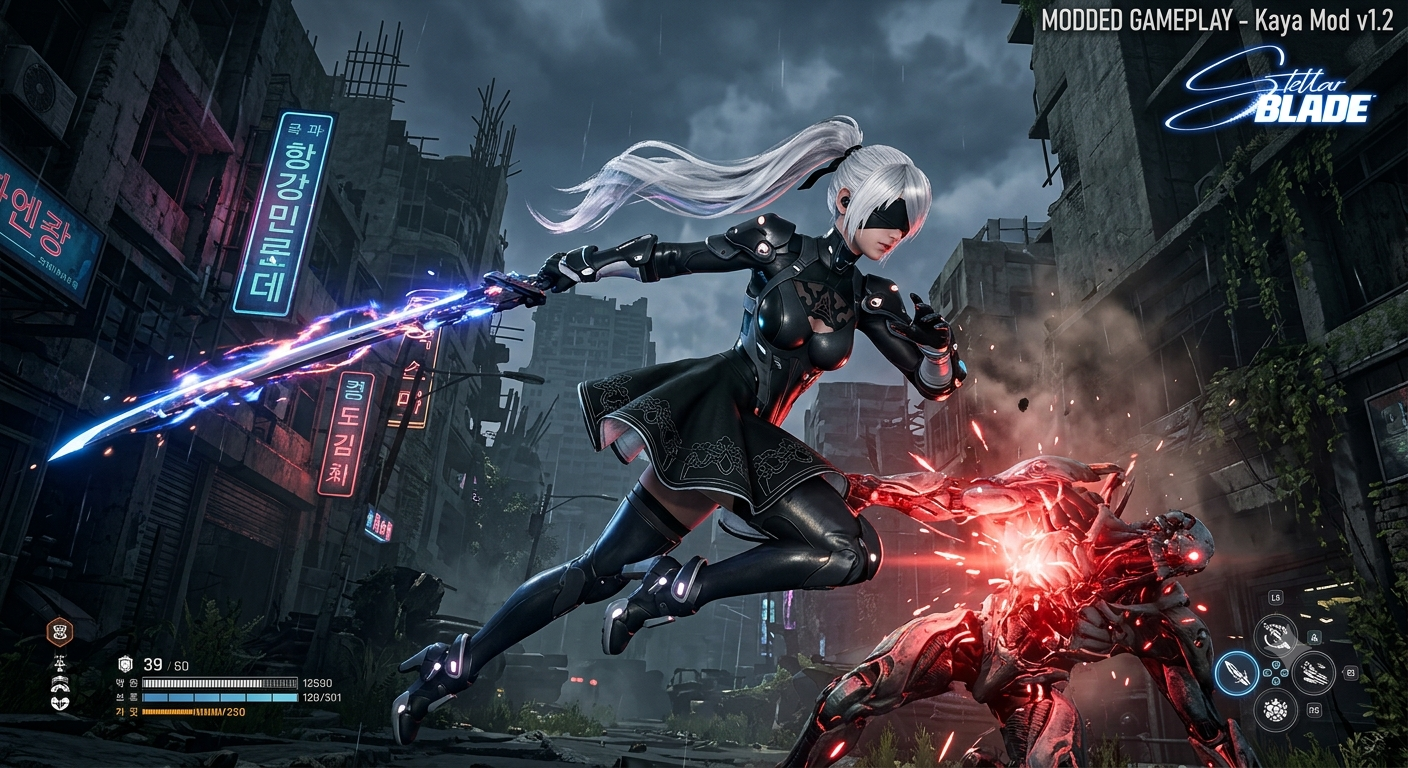
The Stellar Blade Kaya mod search sounds simple, but it covers several very different modifications. Some files adjust Kaya’s original outfit, others bring her face or hairstyle to Eve, and a few experimental projects replace Kaya with an entirely different character model. Choosing the right file therefore depends on what you actually want to change—not merely on the word “Kaya.”
That distinction matters. A basic mesh edit may work by placing three packaged files in a ~mods folder, while a face swap or Custom Nanosuit System release may require UE4SS, a framework dependency, a specific hairstyle setting, or additional configuration. Installing every Kaya-related download together is one of the fastest ways to create visual conflicts, missing textures, or a game that appears to ignore the mod.
What Does “Stellar Blade Kaya Mod” Actually Mean?
There is no single official package carrying the entire search term. Instead, the phrase commonly describes a small category of community-created PC modifications centred on Kaya, the Xion merchant associated with the Sisters’ Junk shop.
The Stellar Blade Kaya mod landscape is easiest to understand by separating the available files by function. Current examples include:
- Kaya Simplified, which removes selected accessories from Kaya’s existing outfit.
- Kaya Hair for Eve, which replaces Eve’s short ponytail with Kaya’s hairstyle.
- CNS Kaya Hair – More Physics, which adds enhanced hair movement and colour controls through the Custom Nanosuit System.
- Kaya face-related replacements, which attempt to apply Kaya’s facial appearance through model or logic changes.
- Kaya-to-Tachy, an experimental proof of concept that transforms Kaya into Tachy by changing both the mesh and skeleton.
These projects do not accomplish the same goal. Before choosing a Stellar Blade Kaya mod, identify whether you want to edit Kaya herself or transfer part of her design to Eve.
The Stellar Blade Kaya mod that suits a player seeking a cleaner NPC outfit will be different from the one needed to make Eve resemble Kaya. Nexus Mods listings confirm that these releases span categories such as models, character presets, hair, visuals, and experimental transformations.
Why Kaya Mods Attract So Much Interest
Kaya has a recognisable design, a distinct hairstyle, and a supporting role that makes her memorable without giving players direct control over her. That creates an obvious gap for modders: players may want to simplify her default design, borrow parts of her appearance for Eve, improve her textures, or explore what a more substantial character conversion could look like.
The PC version also made cosmetic experimentation far more accessible. Stellar Blade launched on Windows on June 11, 2025, with unlocked frame-rate support, ultrawide compatibility, upscaling technologies, and other PC-specific features. The release quickly developed a large Nexus Mods catalogue, which now contains thousands of files across visual, outfit, interface, and gameplay categories.
Best Stellar Blade Kaya Mod Options by Use Case
1. Kaya Simplified for a Cleaner Original Outfit
Kaya Simplified is the most straightforward choice for players who like Kaya’s standard appearance but find some accessories visually excessive. The mod removes the long belt strap and ankle straps while preserving the overall clothing concept.
This is a restrained edit rather than a total redesign. Because it changes elements of Kaya’s existing mesh, it is better suited to players who want a lore-friendly adjustment than those looking for a playable Kaya conversion. The listing describes it as a model and mesh modification with a single initial release.
2. Kaya Hair for Eve
The Kaya Hair for Eve file brings Kaya’s hairstyle to the playable character. It replaces Eve’s Short Ponytail, meaning that the matching ponytail option must be selected in the game settings for the replacement to appear correctly.
An optional hairpin and weapon-holster remover may also be useful because Eve’s original accessories can intersect with the imported hairstyle. This kind of Stellar Blade Kaya mod changes only one part of Eve’s presentation, so it is easier to combine with many outfit mods than a full face-and-body replacement.
3. CNS Kaya Hair With More Physics
Players who want more customisation should examine CNS-kayahair-more Physics. This remake adds more noticeable hair movement and colour-setting options, but it requires the Custom Nanosuit System rather than functioning as a simple standalone replacement.
That extra dependency brings more flexibility and more potential failure points. The correct CNS version, folder structure, and supporting framework must all be present. The Nexus listing also records user bug reports, so reading the posts and bugs tabs before installation is a practical step, especially after a game update.
4. Kaya Face and Female NPC Face Presets
Face-related options are more technically sensitive. A Nexus post for one Kaya face project states that UE4SS is needed for its logic file and recommends disabling other mods while testing. Another CNS resource includes Kaya among optional female NPC face definitions but explicitly warns that those faces may be bugged.
For that reason, a face-based Stellar Blade Kaya mod should be installed by itself first. Confirm that facial animation, neck seams, eye movement, cutscenes, and lighting behave normally before re-enabling unrelated character modifications.
5. Kaya-to-Tachy Experimental Transformation
The Kaya-to-Tachy project is not a conventional beauty edit. It is an experimental proof of concept that changes an NPC’s mesh and skeleton to transform Kaya into Tachy.
The author describes it as unfinished and released as a teaser. That makes it valuable for understanding how far NPC replacement work has progressed, but less suitable for users who expect a seamless, production-ready conversion. Experimental skeleton swaps may produce clipping, animation mismatches, or unusual behaviour in scenes designed around the original character.
Requirements Before Installing a Stellar Blade Kaya Mod
Most basic .pak-style cosmetic replacements need only the Windows version of the game and the correct folder. Every Stellar Blade Kaya mod should still be checked for patch notes, dependencies, and the asset slot it replaces.
Check the mod page for these items:
- Game edition and current patch compatibility
- Required dependencies, such as UE4SS or CNS
- The exact outfit, hairstyle, face, or NPC slot being replaced
- Known conflicts with other mesh or logic files
- Optional accessory removers
- Recent posts, bugs, and update notes
- Whether the file was built for the demo or full game
The demo/full-game distinction is especially important. One early Kaya hair description references the demo path, while the full PC release normally uses the StellarBlade\SB\Content\Paks\~mods directory. Do not assume that an old archive has been repackaged for the retail build simply because the game launches.
How to Install the Mod Manually
For a conventional package-based Stellar Blade Kaya mod, manual installation is usually quick.
- Download the archive from the original creator’s recognised page.
- Scan the archive with your security software and review the host’s file-scan status.
- Open the Steam game directory.
-
Navigate to:
Steam\steamapps\common\StellarBlade\SB\Content\Paks -
Create a folder named:
~mods - Extract the mod’s packaged files into that folder.
- Launch the game and visit the relevant character, equip the replaced hairstyle, or load the required outfit slot.
- Test the modification before adding another file.
Community installation discussions consistently emphasise that the folder must be named ~mods, including the tilde. Standard outfit archives often contain three associated package files, and all of them should remain together.
Installing UE4SS or CNS-Based Kaya Mods
A more advanced Stellar Blade Kaya mod may not work through the Paks folder alone. CNS setups commonly rely on UE4SS, after which the Custom Nanosuit System and its own files are installed according to the dependency instructions.
A typical framework path points to:
StellarBlade\SB\Binaries\Win64
The UE4SS files are placed there, while CNS content and its JSON or costume resources are generally managed under the mod structure specified by the CNS author. Because framework versions change, copy the exact instructions from the current dependency page rather than following an old video blindly.
A CNS tutorial published in late 2025, for example, references a specific CNS version that may no longer be current. Always compare tutorial dates with the latest framework release before copying files into the game directory.
Avoiding Stellar Blade Kaya Mod Conflicts
Two modifications conflict when they replace the same asset, load the same logic table, or expect incompatible framework versions. A stable Stellar Blade Kaya mod setup therefore depends on controlled testing rather than installing a large collection at once.
Character appearance mods are particularly prone to conflicts because several files may target the same hair slot, face definition, material, or NPC package.
Use this conflict-control method:
- Install one Kaya-related file at a time.
- Record the archive name and version.
- Keep each mod in its own labelled backup folder.
- Avoid combining two files that replace the same ponytail or NPC.
- Read the requirements and conflict notes.
- Remove outdated files before installing an updated release.
- Test cutscenes as well as normal gameplay.
- Restart the game after changing package files.
- Keep framework mods separate from ordinary cosmetic replacements.
A useful rule is simple: if two downloads both claim to replace Short Ponytail, they are alternatives, not add-ons, unless the authors explicitly say otherwise. The same principle applies to facial logic files and outfit meshes.
Understanding Load-Order Problems
Some Unreal Engine package mods overwrite identical internal file paths. When this happens, the game may load only one version, even though both archives appear correctly installed.
Changing filenames does not always solve this problem because the conflict may exist inside the packaged asset structure. The more reliable solution is to remove one of the competing files or find a compatibility patch created specifically for that combination.
Troubleshooting a Stellar Blade Kaya Mod That Does Not Work
Verify the Folder Name
The directory must usually be ~mods, not mods, ~mod, or a nested archive folder. A common mistake is extracting a folder that contains another folder, leaving the actual .pak, .ucas, and .utoc files one level too deep.
Steam discussions repeatedly identify incorrect folder naming and placement as common causes of failed installations.
Confirm the Replaced Slot
Hair mods may require Short Ponytail or another named style to be active. Outfit files may replace one specific nanosuit. If the correct slot is not selected, the modification may be installed perfectly but remain invisible.
Return to the mod description and look for wording such as:
- “Replaces Short Ponytail”
- “Replaces Planet Diving Suit”
- “Requires the default Kaya outfit”
- “Select through CNS”
- “Only visible after reaching Xion”
The modification will not normally create a separate menu item unless it was designed for a framework that supports additional selectable content.
Disable Other Character Mods
Move all other files out of ~mods, then test only the Kaya archive and its required dependencies. This isolates duplicate asset paths and is especially important for logic-based face replacements.
Do not delete your entire collection during testing. Create a temporary folder outside the game directory and move inactive files there until the source of the conflict is identified.
Check for Stellar Blade Kaya Mod Patch Breakage
Game updates can alter assets, data tables, or framework behaviour. Look at the mod’s last-update date, recent comments, bug reports, and author notes.
A file that worked on launch may need rebuilding after a later patch. When several users report the same issue immediately after an update, the problem is more likely to be compatibility-related than an incorrect local installation.
Verify Game Files Only After Backing Up
Steam’s file-verification feature repairs official files, but it may not diagnose a bad third-party package inside ~mods. Back up your mod folder, remove it, verify the game, launch once without modifications, and then restore only the file you are testing.
This clean-baseline method answers an important question: does the problem come from the game installation, the framework, or the individual archive?
Look for Missing Dependencies
A mod page may display dependency information in more than one place. Check the requirements panel, installation description, pinned posts, files tab, and update log.
A missing UE4SS component may prevent logic-driven mods from loading without producing a clear in-game error. Likewise, a CNS costume or hairstyle will not necessarily appear when the base Custom Nanosuit System is absent or outdated.
Is the Stellar Blade Kaya Mod Available on PS5?
The publicly disclosed Kaya releases mentioned above have been made for pc file systems, unreal engine packages, UE4SS, or a PC mod framework. They are not regular PS5 additions, meaning no one can use the PlayStation Store or an in-game browser to find and install them.
Therefore, it is logical to say that the Stellar Blade Kaya mod is primarily a pc-exclusive addition. Players must be especially careful about any “simple install guide” claiming to make the mod work on the Sony console as they may involve an additional download, account synchronization, personal console alterations, or even money-paid “unlock” services.
A mod showcased in a video captured on a personal computer is not necessarily a PS5-friendly tool just because the game is available on both platforms.
Safety, Permissions, and Creator Credit
Download from the creator’s original listing whenever possible. Re-uploaded files may be outdated, modified, or distributed without permission; one Kaya-related controversy was reportedly linked to an unauthorised repost rather than the underlying concept of the mod itself.
Before installing:
- Review the uploader’s history and user feedback.
- Check the host’s malware-scan result.
- Avoid executable files when a simple cosmetic mod should contain only package files.
- Never enter Steam or PlayStation credentials into a mod installer.
- Respect the author’s rules on redistribution and conversion.
- Keep clean backups of saves and configuration files.
- Avoid shortened download links from unverified social media accounts.
- Confirm that archive names and file sizes match the original listing.
Nexus pages also display author-specific permissions. Some creators prohibit re-uploading, conversion, or modification, so credit alone does not automatically grant redistribution rights.
Why Executable Files Deserve Extra Scrutiny
Frameworks and legitimate mod managers may include executable or DLL files, but a basic outfit, mesh, or texture replacement usually does not need a separate installer. A supposed cosmetic package that asks for administrator access should therefore be examined carefully.
Read the author’s installation instructions before opening anything. Where manual package installation is supported, it is generally easier to inspect, remove, and troubleshoot than an unknown third-party installer.
Does Modding Affect Performance?
A small accessory-removal mod should have little measurable effect because it replaces existing visual assets rather than adding a demanding gameplay system. High-detail hair meshes, extra physics, large texture upgrades, ReShade presets, and framework-heavy setups may have a greater impact.
The base PC game requires 16 GB of memory according to its Steam specifications, while graphics requirements vary by target resolution and quality. Players near the minimum specification should test advanced hair physics and texture packages individually, then watch for stutter, longer loading, or instability.
Performance symptoms may include:
- Lower frame rates near detailed characters
- Stutter when entering Xion
- Longer shader or asset-loading periods
- Hair movement behaving erratically at high frame rates
- Crashes during cutscene transitions
- Increased VRAM usage from high-resolution textures
Not every slowdown is caused by the Stellar Blade Kaya mod itself. ReShade presets, texture collections, unlocked frame rates, recording software, and other appearance mods may contribute to the same symptoms.
Can a Kaya Mod Damage Save Data?
Most visual replacements do not directly edit save files. They change assets loaded by the game rather than quest progress, inventory, or character statistics.
Risk increases when a modification changes gameplay tables, rewards, quest logic, or framework-managed data. Keep manual backups before testing complex setups, especially when combining appearance changes with progression, inventory, or unlock mods.
Cloud synchronisation should not be treated as the only backup. A damaged or unwanted save may be uploaded automatically before the problem is noticed.
How to Uninstall a Kaya Mod Cleanly
For a package-based Stellar Blade Kaya mod, uninstalling normally means removing its .pak, .ucas, and .utoc files from the ~mods folder.
Use this process:
- Close the game completely.
- Locate the files that came from the original archive.
- Remove all associated package files.
- Check for optional add-ons installed with the same mod.
- Launch the game and inspect the affected character or hairstyle.
- Remove shader caches only when the mod author recommends it.
Do not delete unrelated files based solely on similar names. Comparing the installed folder with the original archive is the safest way to identify every component.
For UE4SS or CNS-based releases, remove only the files belonging to the specific add-on. Deleting an entire framework may disable other mods that rely on it.
How to Choose the Right Kaya Mod
Choose a Stellar Blade Kaya mod according to the outcome, not the most dramatic screenshots.
- Pick Kaya Simplified for a subtle NPC outfit cleanup.
- Pick Kaya Hair for Eve for a straightforward playable-character hairstyle replacement.
- Pick CNS Kaya Hair for colour controls and enhanced movement.
- Test face presets only when you are comfortable troubleshooting UE4SS or CNS.
- Treat Kaya-to-Tachy as an experimental character-conversion showcase.
- Use broader texture packages when your goal is improved facial detail rather than a model replacement.
For a first-time user, the safest Stellar Blade Kaya mod is usually a simple package replacement with no scripts and few dependencies. Once that works, frameworks and more complex combinations become easier to diagnose.
Frequently Asked Questions
Is there one official Stellar Blade Kaya mod?
No. A Stellar Blade Kaya mod is a community-made modification, and the search phrase refers to multiple projects rather than one official release.
Available options alter different elements, including Kaya’s outfit, Eve’s hairstyle, facial presets, NPC textures, or full character meshes. Always read the individual file description before downloading.
Can I play as Kaya using a mod?
A hairstyle or face replacement can make Eve resemble Kaya, but that is not the same as a complete playable-Kaya conversion. A full conversion would need compatible body, face, hair, animations, equipment behaviour, cutscene support, and possibly voice or logic work.
Most publicly documented options provide only selected parts of Kaya’s appearance. Screenshots may therefore show a convincing resemblance without representing a fully converted playable character.
Where should the files be installed?
Most basic package mods go in:
Steam\steamapps\common\StellarBlade\SB\Content\Paks\~mods
Framework-based releases may also require files in SB\Binaries\Win64 or a CNS-specific directory, so the current author instructions should take priority.
Why does Kaya’s hair not appear on Eve?
The most likely cause is that the required hairstyle slot is not selected. The commonly referenced Kaya Hair for Eve release replaces Short Ponytail, and optional accessory-removal files may be needed to prevent visible clipping.
Other possible causes include an incorrect ~mods folder, missing package files, a demo-version archive, or another hairstyle mod replacing the same slot.
Can several Stellar Blade Kaya Mod Files Be Installed Together?
Sometimes, but only when each Stellar Blade Kaya mod modifies different assets and supports the same framework version.
Two hair replacements, two face-logic files, or two edits to Kaya’s base mesh are likely to override or conflict with one another. Install each file separately first, then combine only the options that have been verified as compatible.
Conclusion: Install for the Exact Result You Want
Start by defining the desired change. Do you want Kaya’s original design cleaned up, her hairstyle applied to Eve, a CNS-customisable version, a face preset, or an experimental NPC transformation? That answer determines which Stellar Blade Kaya mod belongs in your setup.
Download the original file, read its requirements, back up your existing mods, and install only one new package at a time. Test the correct replacement slot, inspect cutscenes and character animations, and keep a record of versions.
That careful process takes a few extra minutes—and prevents hours of guessing when two attractive screenshots conceal completely different technical requirements.