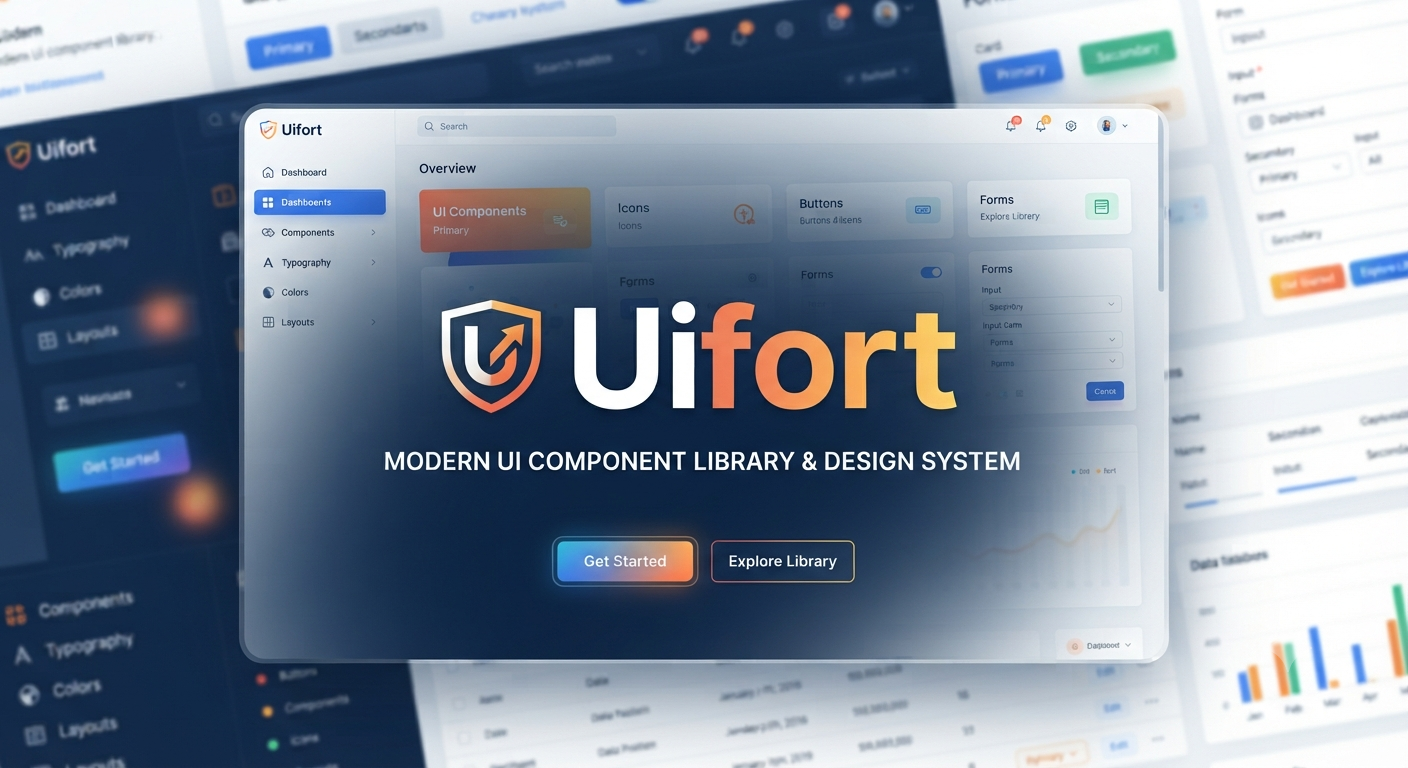
Uifort is a fully coded React UI kit and admin dashboard template built for teams that want to accelerate interface development without designing every screen from scratch. It combines reusable Material UI components, application shells, dashboards, forms, charts, and starter projects for both Next.js and Vite.
That sounds attractive. But the real question is not whether the demo looks polished.
It is whether the codebase, licensing model, dependency baseline, and component architecture fit your product.
This guide examines what the package includes, how it is structured, where it can save meaningful development time, and what buyers should verify before adopting it. The goal is a realistic technical and commercial assessment, not a rewritten feature list.
What Is Uifort?
Uifort is a commercial React admin dashboard template and design system distributed through the MUI Store. It is intended for developers and designers who build enterprise interfaces, internal administrative systems, SaaS dashboards, customer portals, analytics platforms, and data-heavy web applications.
The product includes support for Next.js and Vite, with the entry license featuring JavaScript, with TypeScript variants available in higher tiers. On the official marketplace page, the product also promotes responsive designs, right-to-left support, multilingual options, dark mode, theme customization, accessible components, and Figma design files.
Uifort is not a static HTML theme; it includes the necessary React components and patterns to build applications. However, it is not a full SaaS platform. The user would need to implement their own database connections, API endpoints, permissions and roles system, core business logic, monitoring, and production security measures.
What Does Uifort Include?
The strongest part of the offer is breadth. The product listing advertises 676 component examples, 18 application shells, 16 app pages, and 91 form elements, plus dashboard layouts and pre-built application blueprints.
Those numbers are impressive, but quantity alone should not decide a purchase. The more useful question is whether the included patterns match the screens your product actually needs.
Dashboard and App Blueprints
The included blueprints cover common product scenarios, including:
- Reports, expenses, analytics, automation, monitoring, and statistics dashboards
- Hospital and helpdesk interfaces
- Calendar, file manager, mailbox, messenger, tasks, and project-board apps
- User listings and profiles
- Product, shop, invoice, and project pages
The MUI Store identifies eight dashboard concepts, seven application interfaces, and nine page templates.
These layouts are useful because they show more than isolated buttons and cards. A developer can study complete page composition, spacing, hierarchy, responsive behaviour, and navigation patterns before adapting the interface to a real workflow.
Component Coverage
Uifort groups its UI examples into practical categories such as navigation, overlays, feedback states, lists, grid-based data displays, charts, forms, shells, and content layouts.
The catalogue includes examples for:
- Tables and timelines
- Drawers and dialogs
- Alerts and skeleton states
- Pagination, tabs, and steppers
- Autocomplete and select fields
- Upload components
- Date pickers and sliders
- Area, bar, line, pie, gauge, and sparkline charts
- Vertical, collapsed, and stacked application shells
The official listing breaks these into dozens of layout examples, 94 general interface elements, 61 navigation examples, 103 grid-based data-display examples, 69 data-visualisation examples, and 91 form examples.
That breadth matters most when a product needs consistency across many screens. Instead of choosing a different design approach for every report, modal, form, and empty state, teams can begin with a shared visual language and refine it.
The Technical Stack Behind Uifort
The public documentation describes a familiar React project structure. It separates reusable interface components, layouts, contexts, hooks, internationalisation utilities, mock data, models, routing, Redux Toolkit slices, theme settings, and helper functions.
The /src/components/ directory contains both application-level visual components and foundational elements such as shared styles, notifications, and scrollbars. Separate directories handle global state, localisation, mock APIs, routes, page components, themes, and utility functions.
The documented dependency set includes:
- React 18.2.0
- Next.js 14.0.4
- Material UI 5.15.1
- TypeScript 5.3.3
- Redux Toolkit
- React Hook Form
- Zod
- i18next
- FullCalendar
- MUI X Charts
- Emotion
- React Redux
- Date-fns
The feature listing also references Supabase authentication, public and private routing, React Context, React Hooks, form validation with Zod, and MUI X Charts.
This combination is practical for a conventional business dashboard. It provides recognised libraries, typed validation, state-management options, localisation support, data visualisation, and an established component framework.
There is an important caveat.
The public changelog currently displays version 1.0.0 with an initial release dated 21 December 2023. The dependencies page also continues to show the original React 18, Next.js 14, and MUI 5 generation of the stack.
Before committing, ask the seller for the exact package version, recent change history, supported Node version, security status, and upgrade guidance. A polished preview is not a substitute for a current dependency audit.
Where Uifort Can Save the Most Time
The value of a dashboard template is not measured by the number of components it advertises. It is measured by how much validated interface work your team can reuse.
1. Faster Product Prototyping
Uifort can shorten the path from requirements to a clickable, functional prototype. Teams can assemble navigation, forms, data cards, filters, tables, charts, and account screens before investing in bespoke visual design.
This is especially useful when stakeholders need to test workflows early. A working interface often exposes missing requirements faster than wireframes alone.
For example, a reporting screen may look straightforward in a static mock-up. Once users interact with date filters, export controls, saved views, pagination, loading states, and permission restrictions, hidden complexity becomes obvious.
2. More Consistent Internal Tools
Internal dashboards are often built under deadline pressure. That leads to inconsistent spacing, duplicated components, weak mobile behaviour, and one-off interaction patterns.
Using Uifort as a controlled starting system can reduce those inconsistencies. The benefit becomes larger when several developers are building different modules at the same time.
A shared component baseline also makes code reviews easier. Reviewers can focus on business logic and accessibility rather than repeatedly debating button sizes, card padding, breakpoint behaviour, and modal structure.
3. Reduced Designer Dependency for Early Releases
A startup without a full-time product designer may use the kit to avoid launching with an obviously unfinished admin area. It provides a coherent baseline for typography, colour modes, navigation, cards, tables, and forms.
That does not eliminate design work.
It shifts design effort toward information architecture, task flow, accessibility, user research, and brand differentiation, where human judgement produces more value.
4. Faster Delivery for Agencies
Agencies can use a structured template to speed up client portals and back-office applications, provided each project is properly licensed. The code can reduce repetitive setup work, while the Figma resources in the Plus and Extended packages can improve designer-developer handoff.
The licensing restriction is critical: one purchase does not automatically permit unlimited client projects.
Uifort Strengths
Broad, Business-Oriented Coverage
The package is built around real dashboard needs rather than decorative landing-page sections. Data grids, charts, form controls, authentication flows, app pages, and multiple shells are more relevant to operational software than a collection of marketing blocks.
This makes the template suitable for applications where users complete recurring tasks, analyse data, manage records, or move through multi-step workflows.
Choice of Framework and Language
Support for Next.js and Vite gives teams flexibility. JavaScript can suit smaller teams or rapid prototypes, while TypeScript is generally the better fit for larger applications with complex domain models.
The Standard package includes JavaScript variants. Standard Plus and Extended add TypeScript versions and Figma resources.
Material UI Foundation
Because Uifort is based on Material UI, developers inherit a well-known component model and theming approach. This can make onboarding easier for engineers already familiar with MUI conventions, props, breakpoints, and styling.
It also means the template is not a completely isolated proprietary system. Teams can refer to the wider MUI ecosystem when extending components or troubleshooting familiar patterns.
Internationalisation and RTL Support
Built-in multilingual and RTL capabilities can be valuable for products serving Arabic, Hebrew, Urdu, Persian, or multilingual audiences. The product documentation specifically lists internationalisation utilities and global language support.
Teams must still test:
- Text expansion after translation
- Pluralisation rules
- Locale-specific date formats
- Currency and number formats
- Mirrored navigation
- Directional icons
- Mixed left-to-right and right-to-left content
- Form validation messages
- Mobile layouts in every supported language
RTL compatibility is a starting capability. It is not proof that every customised workflow will remain usable.
Design-to-Code Alignment
The higher licence tiers include Figma resources alongside TypeScript source. That creates a better foundation for design reviews because designers and engineers can work from related assets instead of maintaining unrelated mock-ups and code.
This can reduce handoff friction, particularly when a team is changing colours, typography, spacing, forms, and application shells before development begins.
Limitations and Risks to Check Before Buying
A good template can accelerate development. A poor fit can create months of refactoring.
The Public Update History Is Thin
The official changelog publicly displays only the initial 1.0.0 release. The store promises one year of updates and six months of technical support, but buyers should verify what updates have actually been delivered and whether the purchased files contain newer dependencies.
Ask for:
- A current
package.json - A dated changelog
- Supported Node and package-manager versions
- Known breaking changes
- Upgrade instructions
- A list of deprecated or replaced dependencies
- Confirmation of framework-version compatibility
- Information about unresolved security advisories
This matters because dependency migration can erase much of the time saved by purchasing a template.
Component Count Does Not Equal Unique Components
The advertised 676 figure appears to describe examples and composed interface patterns, not necessarily 676 independently maintained primitives. The catalogue includes multiple variations of shells, lists, charts, grids, and other presentation patterns.
That is not inherently a problem. Examples can be extremely useful.
However, buyers should inspect how much code is genuinely reusable versus page-specific. Review at least five representative screens and trace their imports, data flow, responsive rules, component boundaries, and theme dependencies.
Demo Data Is Not Production Architecture
The documentation includes mock data structures and simulated APIs for development and testing. These are useful for demonstrating screens, but they do not solve production architecture.
You remain responsible for:
- Server-side authorisation
- Secure session handling
- Tenant isolation
- Audit logs
- Input sanitisation
- Rate limits
- Error reporting
- Backups
- Data retention
- Privacy compliance
- Secure secrets management
Never treat hidden menu items or protected client-side routes as access control. Permissions must be enforced by the server or trusted backend service.
Visual Familiarity Can Reduce Brand Distinction
Material UI dashboards can look generic when teams only replace the logo and primary colour. To avoid a template-like result, define your own typography scale, spacing rules, icon strategy, content density, chart palette, empty states, onboarding flow, and interaction language.
The goal is not to disguise the template. It is to make the product feel deliberately designed for its users.
A healthcare dashboard, logistics platform, accounting system, and creative collaboration tool should not communicate information in exactly the same way, even when they share the same underlying component library.
Accessibility Claims Still Require Testing
Uifort promotes accessibility-oriented components and states that its components follow current WCAG standards.
However, accessibility is an application-level outcome. Content order, labels, keyboard flow, focus management, error messaging, contrast, chart alternatives, and dynamic announcements can all be broken during customisation.
Run:
- Automated accessibility scans
- Keyboard-only navigation tests
- Screen-reader checks
- Browser zoom testing
- Reduced-motion testing
- Colour-contrast reviews
- Mobile touch-target testing
- User evaluation with people who use assistive technology
A compliant foundation helps, but it cannot guarantee a compliant finished product.
Uifort Pricing and Licence Options
As of August 2026, the MUI Store lists three packages:
- Standard, $69: JavaScript versions for Next.js and Vite, intended for one free end product
- Standard Plus, $129: Adds TypeScript source and Figma resources, but end users still cannot be charged
- Extended, $599: Includes TypeScript and Figma files and permits one paid end product
All tiers are listed with one year of updates and six months of technical support.
The product page also shows 621 sales and a 4.5 out of 5 rating from six reviews. That is an encouraging signal, but six reviews remain too small a sample to replace technical due diligence.
Understanding the Single End-Product Rule
The most commonly misunderstood condition is the single end-product restriction.
Both Standard and Extended licences cover one application for one organisation or client. The Extended licence allows a product with paying users, but it does not grant unlimited reuse across several products, organisations, or client projects.
Under the MUI Store terms:
- Standard can be used for one freely distributed end product
- Extended can be used for one free or paid end product
- Additional applications generally require additional licences
- Source files cannot be redistributed
- The content cannot be used to create a theme generator
- A development agency may transfer the completed application to one client
- Extracting individual components does not remove the licensing restrictions
Read the complete licence before development begins, especially when building subscription software, a client product, or a white-label system.
Who Should Use Uifort?
Uifort is best suited to:
- Startups building an MVP dashboard or customer portal
- SaaS teams that already use React and Material UI
- Agencies delivering a single licensed client application
- Companies modernising an internal admin system
- Developers who need rich form, chart, table, and navigation examples
- Teams that value both coded components and Figma source
- Products that require multilingual or RTL interfaces
- Organisations that need multiple dashboard layouts quickly
It is particularly compelling when interface delivery speed matters more than owning a completely custom design system on day one.
Who Should Look Elsewhere?
The kit may be a weak fit when:
- Your product uses Vue, Angular, Svelte, or a non-React stack
- Your team is standardised on Tailwind-based headless components
- You require the newest framework major versions immediately
- You need a highly distinctive consumer-facing visual identity
- You want a multi-client agency licence
- You expect a template to provide backend business logic
- Your accessibility or security requirements demand audited guarantees
- Your design system already contains equivalent components
- You only need three or four simple administrative screens
In these situations, a smaller component library, a custom system, or a template aligned with your existing architecture may create less technical debt.
How to Evaluate Uifort Before Purchase
Use a structured technical review rather than judging the home page.
Step 1: Map Your Required Screens
List every major route in your product:
- Login and account recovery
- Onboarding
- Main dashboard
- Settings
- Billing
- User management
- Roles and permissions
- Reports
- Notifications
- Support
- Audit history
Mark which routes have close equivalents in the live preview. A template that covers 70% of your real interface may offer strong value. One that only matches the login page and dashboard cards may not.
Step 2: Inspect the Hardest Components
Do not spend your evaluation on buttons and cards. Those are easy to replace.
Test dense tables, complex forms, drawers, mobile navigation, date pickers, charts, RTL layouts, validation, file uploads, loading states, and empty states.
These components reveal the true quality of the architecture.
Step 3: Verify the Dependency Baseline
Compare the supplied package against your organisation’s approved versions. Check for peer-dependency conflicts, deprecated packages, unresolved advisories, abandoned libraries, and packages that could complicate future upgrades.
The official documentation itself recommends removing unused dependencies to reduce build size.
Run a clean installation before customisation. Record all warnings rather than dismissing them as harmless template noise.
Step 4: Review Architecture, Not Just Appearance
Look for:
- Clear component boundaries
- Predictable props
- Reusable layouts
- Typed data models
- Centralised theme tokens
- Minimal duplication
- Separation between presentation and data access
- Testable utility functions
- Consistent error handling
A beautiful demo with tightly coupled page code will be expensive to maintain.
Step 5: Calculate the Real Cost
Add the purchase price to:
- Framework migration
- Dependency upgrades
- Visual customisation
- API integration
- Accessibility remediation
- Automated testing
- Security work
- Developer onboarding
- Long-term maintenance
A $69 template can still be costly if it requires a major rewrite.
Conversely, a $599 licence can be economical when it removes several weeks of design and front-end implementation from a paid SaaS project.
Step 6: Confirm the Correct Licence
Decide whether end users pay to access the product. If they do, the Extended licence is generally the relevant tier under the current MUI Store terms.
Confirm any unusual arrangement with MUI or the author before launch. This includes white-labelling, client transfers, bundled software, marketplace distribution, and products that generate customised interfaces.
Step 7: Run a Small Proof of Concept
Integrate:
- One real API
- One authenticated route
- One permission-protected action
- One complex form
- One production-style data table
- One mobile workflow
This exposes architectural friction before the template becomes embedded across the entire codebase.
A Sensible Uifort Implementation Plan
Once selected, do not begin by editing random pages. Create a controlled adoption process.
- Freeze the original package in a reference branch.
- Remove unused dependencies and demo modules to reduce build size and maintenance surface.
- Define design tokens for colour, typography, spacing, radius, elevation, and charts.
- Create an application architecture document before adding business logic.
- Replace mock data gradually with typed service layers and tested API clients.
- Implement server-enforced authentication and authorisation.
- Create accessibility and performance budgets before the screen count grows.
- Document customised components so future developers know what differs from the vendor source.
- Add automated tests for critical workflows, forms, and permissions.
- Schedule dependency updates instead of allowing the codebase to remain frozen at the template’s starting versions.
This approach preserves the speed advantage while reducing the risk of inheriting a demo-oriented architecture unchanged.
Uifort Versus Building From Scratch
Building from scratch gives maximum control, but it also requires decisions about every component state, breakpoint, interaction, theme token, page shell, and accessibility behaviour. For a small team, that can delay validation of the actual business product.
Uifort offers a faster baseline.
The trade-off is inherited opinion: library choices, component structure, styling conventions, dependencies, and licence constraints. The right decision depends on whether those opinions align with your roadmap.
Choose the kit when its architecture covers most of your needs and your team can adapt it without fighting the code. Build custom when your workflows, branding, performance constraints, or platform architecture differ enough that template removal would cost nearly as much as original development.
A hybrid strategy is also possible. Teams can use the application shells, theme structure, and selected components while replacing demo pages and tightly coupled modules with custom implementations.
Performance, SEO and Security Considerations
Although admin dashboards are usually protected behind authentication, performance still affects productivity and user satisfaction. Slow tables, oversized JavaScript bundles, blocking charts, and unnecessary dependencies can make daily operational work frustrating.
Before launch:
- Remove unused packages
- Lazy-load heavy application modules
- Split chart and editor bundles
- Optimise icons and fonts
- Avoid rendering large datasets without pagination or virtualisation
- Measure Core Web Vitals on public-facing routes
- Track runtime errors and slow API calls
- Test low-powered devices and slow networks
The documentation describes the template as performance- and SEO-optimised, but those qualities can change substantially once real data, third-party scripts, authentication, tracking, and custom components are added.
Security requires even greater separation between template capability and production responsibility. A dashboard theme can provide login screens and protected-route examples, but it cannot determine whether your API correctly validates users, organisations, roles, and requested records.
Treat every browser request as untrusted.
Conclusion: Is Uifort Worth It?
Uifort can be a strong accelerator for React teams building dashboards, portals, and data-driven business applications. Its component breadth, Next.js and Vite options, Material UI foundation, TypeScript availability, application blueprints, RTL support, and design assets provide a substantial starting point.
The decision should still be evidence-based.
Review the live code. Request the latest dependency manifest and changelog. Test a real workflow. Confirm the correct licence. Estimate upgrade work before purchase.
When the architecture matches your stack and the reusable screens cover a large share of your roadmap, adopt Uifort through a controlled customisation process rather than treating it as a finished product.
Frequently Asked Questions About Uifort
Is Uifort a complete SaaS application?
No. It is a front-end React dashboard template and UI system.
It supplies interface components, layouts, pages, routing patterns, sample authentication integrations, and mock data. Your team must still build and secure the production backend, database, billing system, permissions, business logic, and infrastructure.
Does Uifort work with both Next.js and Vite?
Yes. Official documentation and the MUI Store listing include variants for Next.js and Vite.
JavaScript is available in the Standard tier. TypeScript versions are included in the Standard Plus and Extended packages.
Can I use Uifort for a paid SaaS product?
A paid end product requires the Extended licence under the current MUI Store terms. That licence permits one end product with paying users.
It does not allow unlimited applications, multiple client deployments, redistribution of the source, or a template generator. Additional end products generally require additional licences.
Is Uifort suitable for multilingual and RTL dashboards?
It includes internationalisation utilities, multilingual support, and right-to-left layout support.
Teams should still test translated content, locale-aware dates and numbers, text expansion, bidirectional text, keyboard navigation, directional icons, and every customised component.
What should I check before buying Uifort?
Verify the latest package version, dependency list, update history, Node compatibility, TypeScript coverage, support process, licence fit, accessibility behaviour, and architecture of the most complex screens.
Then build a small proof of concept with your own authentication, API data, form validation, permissions, and table requirements. That test will reveal more than the visual demo alone.