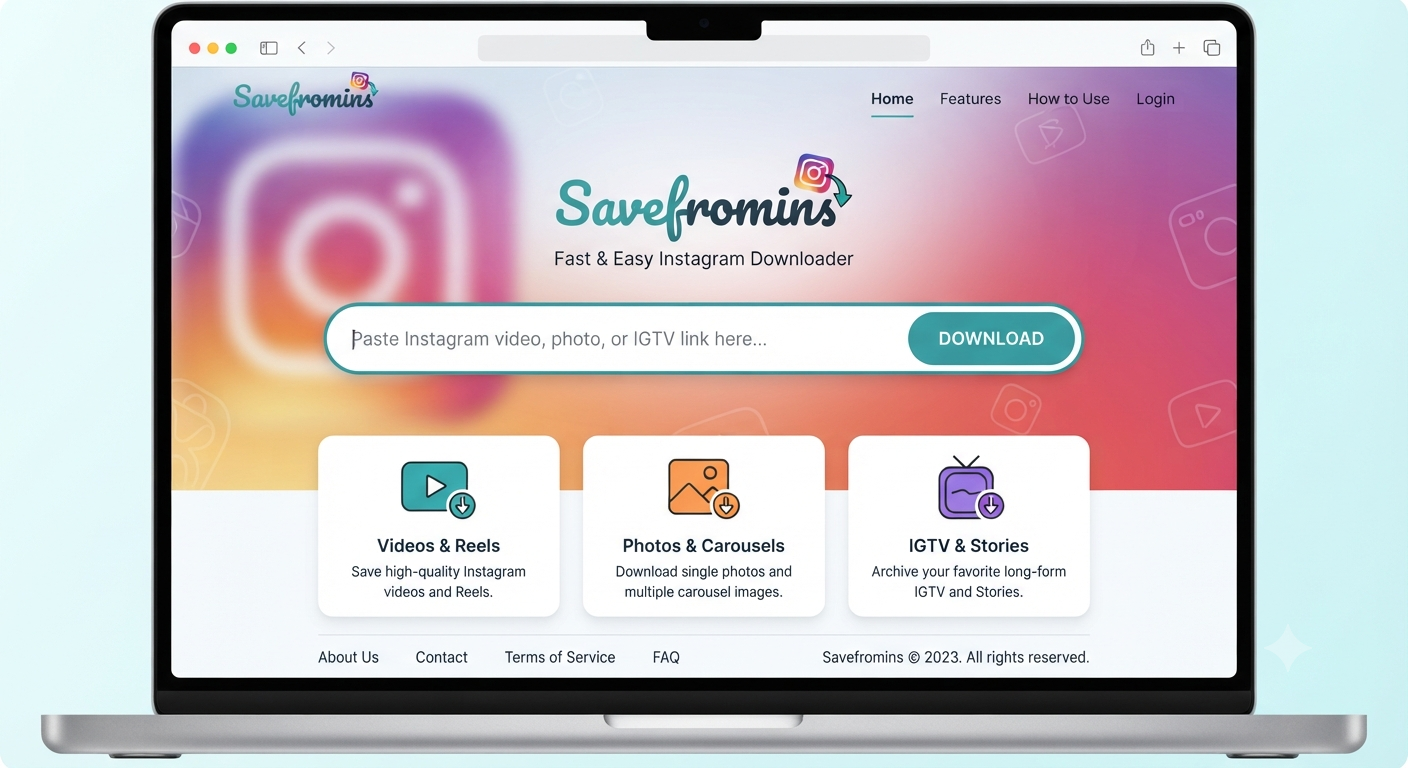
Savefromins is a browser-based Instagram downloader designed to save public videos, Reels, photos, Stories, profile media, and carousel posts to a phone or computer. Its appeal is obvious: users paste an Instagram link, wait for the platform to process it, and download the available media without creating an account. The service says it works across mobile and desktop browsers, while its Chrome extension offers a more direct one-click workflow.
That convenience, however, should not be confused with automatic permission to copy, repost, edit, or commercially use someone else’s content. A downloader is only a technical tool. The person using it remains responsible for copyright, privacy, platform rules, and the security implications of sharing links with a third-party website.
This guide explains what Savefromins does, where it may be useful, what its own policies reveal, and how to use this type of service more responsibly.
What Is Savefromins?
Savefromins is an independent website, which allows users to enter a link to an Instagram post and have it ‘downloaded’. According to the site, it can be used for video, reels, photos, stories, carousels, profile photos, public photos, and an anonymous public story viewer. The company also notes that it is not affiliated with Instagram or other platforms. The service is browser-based, which means that there is no need to download a separate application, create an account, or log in to your social media with any credentials. The Frequently Asked Questions section informs customers that videos can be downloaded in MP4 and other resolutions, depending on the quality of the original post.
A Chrome extension is also available, developed directly by the company. According to the information from May 22, 2026, it has one version, 1.0.1, which weighs 253 KiB. The extension has 549 users and no rating provided. Google notes that the developer stated that they do not collect or use any data, but users should keep in mind that this is a self-reported claim and should not be taken as an independent confirmation.
How Savefromins Works
The workflow is simple because the tool relies on a public Instagram URL rather than an account connection. In practical terms, Savefromins acts as an intermediary: it receives the link, identifies accessible media associated with that page, and presents a downloadable file when processing succeeds.
Basic Download Process
- Open Instagram and locate the public Reel, video, image, Story, or carousel.
- Use Instagram’s sharing menu to copy the post link.
- Open the downloader in a browser.
- Paste the copied URL into the input field.
- Select the available download button or quality option.
- Save the file to the device and verify that it opens correctly.
These steps broadly match the instructions published on the service’s website for mobile and desktop users.
No-login access is one of the service’s main selling points. It reduces the risk of directly exposing an Instagram password to the downloader, but it does not make the activity invisible. The website’s privacy policy says it may collect IP addresses, requested URLs, browser details, usage behavior, cookies, local storage data, and advertising-related information.
Savefromins Features Explained
Instagram Video and Reels Downloads
The tool says it can convert accessible Instagram video pages into downloadable MP4 files. It also claims that downloaded Reels retain their original audio and that some videos may be offered at 1080p, 720p, or 480p, depending on the source file.
Actual quality may vary. A third-party downloader cannot create detail that is missing from the Instagram-hosted version, and the available file may already have undergone platform compression. HD quality therefore describes the best accessible version, not necessarily the creator’s original camera file.
Photo and Carousel Support
Savefromins promotes support for individual photos and multi-item carousel posts. Its carousel page says it can identify all slides in a post, including mixed photo-and-video collections, and let users save the available items.
This can be useful when archiving your own campaign assets, reference posts, or content supplied by a client. For another person’s carousel, obtain permission before republishing, removing attribution, editing the work, or placing it in a commercial project.
Stories, Highlights and Public Viewing
The service advertises Story and Highlight downloads as well as anonymous viewing for public profiles. Its homepage states that users can enter a username or public link without logging in.
“Anonymous” should be interpreted narrowly. It may mean the Instagram account owner does not see your personal account in the viewer list, but the downloader itself can still receive technical information about your device and request.
The privacy policy specifically mentions server logs, IP addresses, browsing behavior, cookies, analytics, advertising, and third-party processing.
Cross-Device Access
Because it operates through a browser, Savefromins says it works on iPhone, iPad, Android, Windows, macOS, laptops, and desktop computers. That broad compatibility is a practical advantage over apps limited to one operating system.
On iOS, downloaded files may appear in the Files app rather than Photos. On Android, they typically appear in the Downloads folder, although the exact location depends on the browser and device settings.
Is Savefromins Safe?
The most accurate answer is: it may be convenient, but users should evaluate it like any third-party downloader rather than assuming it is risk-free.
The homepage says the service is secure, requires no login, and does not collect personal data through the tool. Yet its privacy policy gives a more detailed picture, stating that it may collect usage data, IP addresses, requested URLs, browser information, cookies, local storage identifiers, analytics data, advertising data, and related technical information.
It also says some location, browser, cookie, and usage-related information may be shared with business partners for personalized advertising.
That does not prove malicious activity. It does mean the phrase “no personal data” should not be interpreted as “no data collection whatsoever.”
Practical Safety Checklist
Before using Savefromins or a similar Instagram video downloader:
- Never enter your Instagram password into an unrelated download page.
- Check the domain carefully to avoid cloned or misspelled websites.
- Reject unnecessary browser notifications and suspicious pop-ups.
- Do not install unknown APK files presented by advertisements.
- Scan downloaded files if the extension or file type looks unexpected.
- Prefer direct media formats such as MP4, JPG, or PNG rather than executable files.
- Review extension permissions before adding any browser add-on.
- Use a separate browser profile when testing unfamiliar web utilities.
- Remove unused extensions after completing the task.
The official Chrome Web Store listing currently describes the extension as having no public ratings. That limited review history makes cautious permission checking especially important.
Privacy Considerations Before Pasting a Link
A public Instagram link may look harmless, but it still communicates intent and browsing activity to the receiving service. Savefromins states that technical data can be processed for service delivery, analytics, fraud prevention, advertising, security, customer support, and legal obligations.
Its policy also says information may be transferred during a merger or acquisition and may be retained as long as necessary for operational, contractual, or legal purposes.
Users handling sensitive client work should be particularly careful. A social media manager, journalist, agency, or brand employee may reveal which account or campaign they are researching simply by submitting a specific URL to a third party.
For private archiving of your own account, Instagram’s official export feature is often the better option. Meta allows users to create an export through Accounts Center under Your information and permissions, providing a platform-supported way to obtain account information.
Is It Legal to Use Savefromins?
The legality depends less on the existence of the downloader and more on what is downloaded, why it is downloaded, and what happens next. Copyright rules vary by country, and exceptions such as fair use or fair dealing are fact-specific rather than automatic.
Savefromins places responsibility on the user. Its terms state that users must comply with applicable laws and third-party platform rules, possess the necessary rights or permission, and avoid infringing copyright, trademark, privacy, publicity, or other legal rights. The service also says it is not affiliated with Instagram.
Instagram’s own guidance says the safest way to avoid copyright infringement is to post content you created yourself. Its intellectual-property rules prohibit content that violates another person’s copyright or trademark rights.
Uses That Are Generally Lower Risk
The following situations are usually more defensible, although local law still applies:
- Downloading your own original content as a backup.
- Saving media when the creator has given clear permission.
- Archiving client assets under a valid contract.
- Downloading public-domain or properly licensed material within its license terms.
- Keeping an authorized offline reference without redistributing it.
Uses That Carry Greater Risk
Risk increases when users:
- Repost another creator’s Reel without permission.
- Remove watermarks, attribution, or ownership information.
- Use downloaded media in advertisements or paid campaigns.
- Sell, license, or redistribute someone else’s work.
- Collect images of private individuals for harassment or surveillance.
- Download and republish music without appropriate rights.
- Imply endorsement by a creator, celebrity, or brand.
Crediting the creator is respectful, but credit alone does not replace permission or a license.
Savefromins Limitations Users Should Expect
Third-party Instagram downloaders depend on page structures and media access methods that can change. A tool that works today may fail after an Instagram update, regional restriction, account privacy change, expired Story, deleted post, or temporary rate limit.
Common limitations include:
- Private account posts may not be accessible.
- Friends-only or restricted content may fail.
- Expired Stories cannot always be recovered.
- Music or audio may be unavailable separately.
- Resolution choices depend on the source media.
- Carousel detection can fail on unusual post types.
- Download buttons may be blocked by browser privacy settings.
- Advertising scripts may affect usability.
- File names may be generic and require manual organization.
The service’s own terms make no promise of uninterrupted or error-free operation and allow it to modify, suspend, or discontinue features.
Troubleshooting Savefromins Download Problems
“Invalid Link” or “Content Not Found”
Confirm that the URL opens normally in a private browser window. If it only works while logged into a specific account, the post may be private, restricted, removed, or unavailable in your region.
Copy the link again from Instagram’s sharing menu rather than using a shortened, redirected, or tracking-heavy URL. Remove extra text accidentally pasted before or after the link.
The Download Button Does Nothing
Browser extensions, pop-up blockers, tracking protection, or script restrictions can interfere with the page. Try reloading the site, clearing the input field, or using a different mainstream browser.
Do not disable all security protections permanently. Test the page in a separate browser profile and restore normal privacy settings afterward.
The Downloaded File Has No Sound
Check whether the original post contains audible sound and whether the device is playing the correct audio track. Some licensed audio, region-specific music, or platform-generated formats may not be available in the extracted file.
Try opening the video in a different media player. The issue may sometimes be caused by unsupported audio codecs rather than a completely missing audio track.
The Quality Looks Lower Than Expected
Instagram compresses uploaded media, and a downloader can only retrieve an accessible version. Selecting a higher resolution does not restore detail already removed during compression.
For your own content, preserve the original camera or editing export instead of relying on a social-media download as the master copy.
The Download Keeps Redirecting to Advertisements
Close the newly opened advertising tab without clicking anything inside it. Return to the original page and confirm that you are selecting the genuine media download button rather than a sponsored button designed to look similar.
Do not approve notification permissions, install “download managers,” or download executable files merely to obtain an Instagram video.
Savefromins Versus Instagram’s Official Export
Savefromins is faster when a user needs an accessible file from a specific public post. Instagram’s official export is slower and broader, but it is designed for retrieving your own account information through Accounts Center.
Choose the third-party tool only when you have the right to save the specific media and accept the privacy trade-off. Choose the official export for account backups, records, or larger collections of your own information.
| Feature | Savefromins | Instagram Official Export |
|---|---|---|
| Best for | Individual public posts | Your own account archive |
| Login required | No login claimed | Yes |
| Reels and videos | Supported when accessible | Included in your account export |
| Third-party data sharing | Possible according to privacy policy | Managed within Meta’s ecosystem |
| Download speed | Usually immediate | Export preparation may take time |
| Private account backup | Not dependable | Suitable for your own account |
| Copyright permission | User remains responsible | Limited to your account information |
Who Should Consider Using Savefromins?
The service may be useful for creators backing up their own public posts, agencies preserving authorized client assets, editors collecting licensed source material, or ordinary users saving content with the creator’s permission.
A creator might use it to recover a published Reel when the original export has been misplaced. A marketing team could save client-approved campaign posts for reporting, provided its contract and internal privacy policy allow third-party processing.
It is a poor fit for bulk scraping, private-account access, commercial reuse without licensing, anonymous monitoring of individuals, or any workflow that requires strict confidentiality. For regulated businesses or sensitive investigations, an internally approved archiving process is more appropriate.
How to Organize Downloaded Instagram Content
Downloading the file is only part of the workflow. Without clear organization, saved videos and images quickly become difficult to identify, verify, and license correctly.
Use a consistent naming format such as:
creator-post-topic-date-permission-status.mp4
A small rights record should accompany every file used professionally. Record the original post link, creator name, download date, permission evidence, license restrictions, expiration date, and intended use.
This process protects editors and marketers from accidentally publishing content that was saved for reference only.
Does Downloading Remove the Instagram Watermark?
Not every Instagram post contains a visible platform watermark. Savefromins says its extension offers downloads without watermarks, but users should distinguish a platform overlay from creator-added branding or copyright information.
Removing a creator’s logo, signature, attribution, or ownership notice can create additional ethical and legal concerns. Preserve attribution unless a license or written agreement clearly permits modification.
A clean file is not automatically a rights-free file.
Final Verdict
Savefromins offers a straightforward method for downloading accessible Instagram media without logging in. Its support for Reels, videos, photos, Stories, carousels, profile media, browser access, and a Chrome extension makes it flexible.
The strongest reason to be cautious is not necessarily the download function itself. It is the gap between casual marketing language and the broader data practices described in the privacy policy, combined with the copyright and privacy responsibilities placed on users.
Use Savefromins only for content you own, are licensed to use, or have explicit permission to save. Verify the domain, avoid unnecessary extensions, inspect file types, and use Instagram’s official export when backing up your own account.
Convenience is useful. Permission and security matter more.
Frequently Asked Questions
1. Does Savefromins require an Instagram login?
No. The website and Chrome extension state that users can process public Instagram links without connecting an Instagram account or providing login credentials. Avoid any imitation page that asks for your password.
Not requiring a login reduces the risk of directly exposing account credentials. It does not prevent the website from receiving technical data such as an IP address, browser details, cookies, and the URLs submitted for processing.
2. Can Savefromins download content from private Instagram accounts?
Generally, a link-based downloader can only process media it can access. Private, restricted, deleted, region-blocked, or login-protected content may not work.
Do not attempt to bypass access controls or another person’s privacy settings. Ask the account owner to send the original file or grant permission through an appropriate sharing method.
3. Is Savefromins free and unlimited?
Its official FAQ describes the service as free, without registration, paid plans, or stated download limits. Service conditions can change, so users should review the current website terms before relying on it for ongoing work.
Free services may be supported by advertising, analytics, or cross-promotion. Savefromins confirms these practices in its privacy policy and terms.
4. Is it legal to repost a video downloaded with Savefromins?
Not automatically. Downloading a file does not transfer copyright, music rights, publicity rights, or commercial-use permission.
Reposting is safest when you created the work, hold a valid license, or obtained clear authorization from the rights holder. Instagram advises users to post content they created themselves to reduce infringement risk.
5. What is the safest alternative for downloading my own Instagram content?
Use Instagram’s official information export in Accounts Center. Navigate to Your information and permissions, choose Export your information, and create an export for the relevant account.
This is the platform-supported option for obtaining a copy of your own information. Original camera files and editing exports should still be stored separately because social platforms may compress uploaded media.